 GigaOm and TechCrunch, inter alia, announced that Microsoft released the first beta of Windows Live Writer (WLW) this morning. I've been underwhelmed by the current Blogger editor, so I downloaded and ran the installer to give WLW a test drive with the OakLeaf System site. WLW is a .NET WinForm app—as you'd expect—and thus requires previous installation of the .NET Framework 2.0.
Note: This updated post, Blogger Finally Gives OakLeaf Blog Spam Clearance, demonstrates the solution to the template import problem.
Installation ran without a hitch, other than the message that WLW was unable to import my blog's template to establish a compatible style. To obtain style information, WLW attempts a temporary post, which ultimately appeared in Blogger's Edit Posts page as a draft. (See the "Wait for Blogger Post Permissions" topic below.)
Of course, the installer wanted to add the Windows Live Toolbar to IE; I didn't. The installer also offers to create a Windows Live Spaces account for non-blogified users.
GigaOm and TechCrunch, inter alia, announced that Microsoft released the first beta of Windows Live Writer (WLW) this morning. I've been underwhelmed by the current Blogger editor, so I downloaded and ran the installer to give WLW a test drive with the OakLeaf System site. WLW is a .NET WinForm app—as you'd expect—and thus requires previous installation of the .NET Framework 2.0.
Note: This updated post, Blogger Finally Gives OakLeaf Blog Spam Clearance, demonstrates the solution to the template import problem.
Installation ran without a hitch, other than the message that WLW was unable to import my blog's template to establish a compatible style. To obtain style information, WLW attempts a temporary post, which ultimately appeared in Blogger's Edit Posts page as a draft. (See the "Wait for Blogger Post Permissions" topic below.)
Of course, the installer wanted to add the Windows Live Toolbar to IE; I didn't. The installer also offers to create a Windows Live Spaces account for non-blogified users.
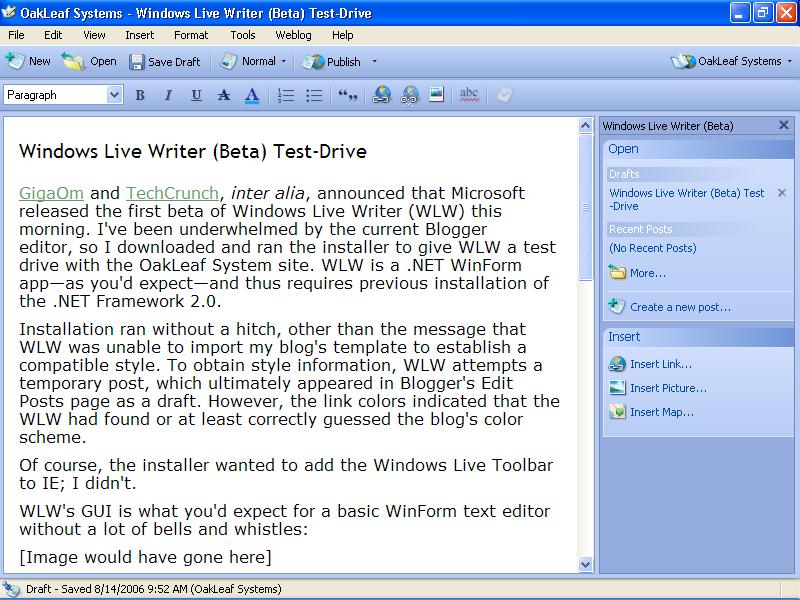
WLW's GUI
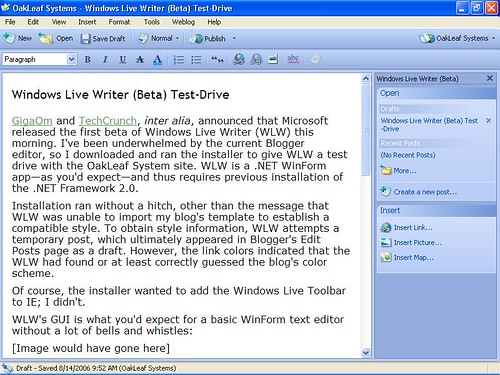
Without template data, WLW's GUI is what you'd expect for a basic WinForm text editor without a lot of bells and whistles:
The Windows Live Writer: First Impressions post on Nathan Weinberg's Inside Microsoft blog demonstrates editing and adding images in Web Layout view after successfully downloading style information. As Nathan observes, "The Normal View is the straight up simplest way to edit. It is fast, responsive, and lets you do your work."
Note: The LiveSite blog has a 15-minute interview with J.J. Allaire, the founder of Onfolio and Architect of the Writer team. Microsoft acquired Onfolio on March 8, 2006.
Typing in the text pane feels much more like Microsoft Word, WordPad, and other Windows text editors than Blogger's editor. WLW's block quotes and bullet/numbered lists are more stable during the editing process. Finally, the WLW's HTML code omits the large number of span tags that tend to obscure Blogger's source.
Wait for Blogger Post Permissions
Attempting to save a Blogger draft or post while writing this article opened this dialog:
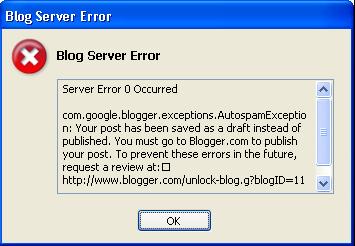
Which contains this Blogger message (the blogID is fictitious):
com.google.blogger.exceptions.AutospamException: Your post has been saved as a draft instead of published. You must go to Blogger.com to publish your post. To prevent these errors in the future, request a review at: http://www.blogger.com/unlock-blog.g?blogID=88888888. Sorry for the inconvenience.
Here's part of the Blogger page to request removal of the captcha requirement:
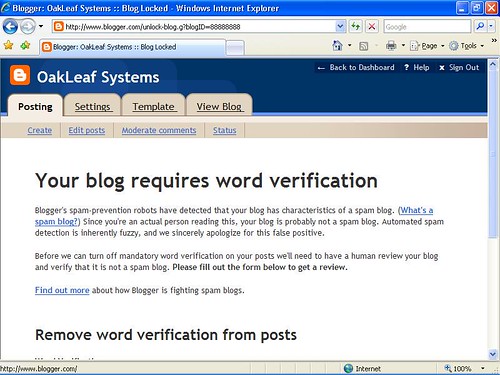
Blogger saves drafts and posts as drafts until someone at Blogger inspects your blog and OKs elimination of the word-recognition anti-span device. After your site passes the splog test, you can chose Weblog, Edit Weblog Settings to reattempt capturing the style for the Web Layout view.
Full Disclosure: I wrote this post with WLW, added it as a draft to Blogger, and then added images from the Blogger server.
No Image Publishing for Blogger
When you attempt to publish a page with an image, WLW claims in the following dialog that the "weblog doesn't support image publishing," which is obviously an untrue statement. Blogger doesn't support the newMediaObject API, which WLW requires to upload and display image, video, audio, or other media object files.
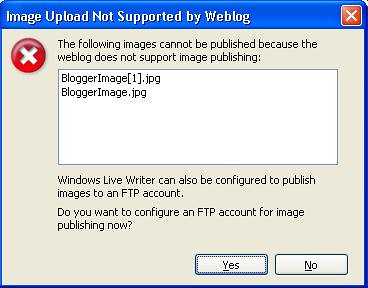
It's nice that WLW offers the alternative of specifying an FTP site for image publishing, but it's doubtful that most Blogger users would opt for FTP image delivery when Blogger offers its own image storage and processing system.
Unlike the Blogger editor, WLW doesn't have a center alignment option for images.
Minor Issue
I'm accustomed to typing HTML character entity references (entities) for special characters, such as — (mdash) in Blogger's WYSIWYG editor. Clicking the Edit Html tab, and then clicking the Compose tab substitutes the special character for the entity in the Blogger WYSIWYG editor. Microsoft needs this feature, too.
Major Kudos
WLW offers multiple-level Undo/Redo capabilities (Ctrl+z, Ctrl+y). Hoorah!
Find Text (Ctrl+F) makes it easy to find your place in long posts.
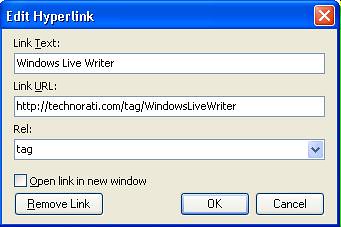
Blogger doesn't have post categories and corresponding tags. (Microsoft calls tags key words.) This means I need to add Technorati tags in the Blogger HTML editor manually. WLW makes it easier to add Technorati tags because the Insert Hyperlink dialog lets you add the required rel="tag" attribute:
The WLW post on the Windows Live Spaces blog mentions the Windows Live Writer SDK lets developers extend the capabilities of Writer to add content types like:
- Images from online photo publishing sites
- Embedded video or audio players
- Product thumbnails and/or links from e-commerce sites
- Tags from tagging services
I'd certainly like to see extensions for images, embedded video players, and automated Technorati tags ASAP.
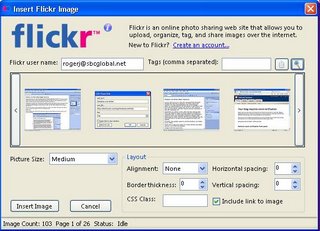
Update 8/14/2006: Dare Obasanjo reported that Tim Heuer has written plug-ins for Technorati tags and Flickr images and I've installed them. All but one of the Blogger images in this entry were replaced with Tim's Flickr4Writer add-in.
Conclusion
I'll probably use WLW to write the text for my future posts and add Blogger images with Firefox. I've found it necessary to switch from IE 6/7 to Firefox to reliably insert the images after storing them on the Blogger image server, so there's not much added effort. The alternative is to use Tim's Flickr4Writer add-in, but I found the current version has a couple of minor quirks. On the whole, WLW looks to me like a great start, even with the image and entity issues.
Technorati Tags: Windows Live Writer, WLW, Blogger
 I've just switched the OakLeaf blog to the new Blogger Beta version that supports categories, Atom 1.0 (finally), and RSS 2.0. All posts on and after June 13, 2006 have detailed categories (Blogger calls them Labels) collections at the end of the post, most of which duplicate the Technorati links. Earlier items have major category labels, such as LINQ or SQL Server.
Categories let some RSS/Atom feed readers, such as Internet Explorer 7.0, filter items by category. The following screen capture shows IE 7 Feeds view's scrolling listbox with the LINQ to XSD label selected.
I've just switched the OakLeaf blog to the new Blogger Beta version that supports categories, Atom 1.0 (finally), and RSS 2.0. All posts on and after June 13, 2006 have detailed categories (Blogger calls them Labels) collections at the end of the post, most of which duplicate the Technorati links. Earlier items have major category labels, such as LINQ or SQL Server.
Categories let some RSS/Atom feed readers, such as Internet Explorer 7.0, filter items by category. The following screen capture shows IE 7 Feeds view's scrolling listbox with the LINQ to XSD label selected.

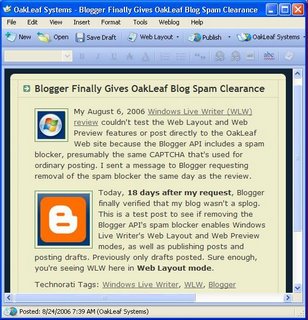
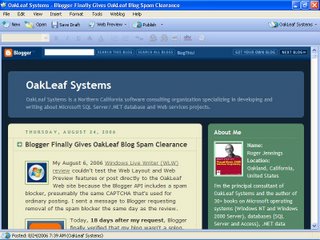
 Windows Live Writer (WLW) beta 1.0.1(6) works with Blogger Beta, as shown by the WYSIWYG screen capture below:
 Note: You must upgrade WLS to version 1.0.1(6) or later to work with Blogger Beta after early November 2006.
However, WLW 1.0.1(6) doesn't support adding Blogger Beta Labels as tags. For the moment you'll need to do a final edit in the Web-based Blogger editor, which hasn't changed significantly in the Beta version.
Technorati Tags: Windows Live Writer, WLW, Blogger, Blogger Beta
Note: You must upgrade WLS to version 1.0.1(6) or later to work with Blogger Beta after early November 2006.
However, WLW 1.0.1(6) doesn't support adding Blogger Beta Labels as tags. For the moment you'll need to do a final edit in the Web-based Blogger editor, which hasn't changed significantly in the Beta version.
Technorati Tags: Windows Live Writer, WLW, Blogger, Blogger Beta





 Atom 1.0 site feed


